Why Fast 365in Withdrawals Matter
In online gaming, withdrawal speed is the single most important trust signal a platform can send. You can have the best games, the most generous bonuses and the slickest interface — but if players cannot get their money out quickly and reliably, the platform fails at its most fundamental promise. Every day that a 365in withdrawal sits "processing" erodes confidence and shifts players to competitors. This is why serious platforms compete aggressively on withdrawal speed, and why a sub-two-minute UPI settlement is not a gimmick but an engineering achievement that reflects genuine commitment to the player experience.
365in has built its payout infrastructure around India's UPI network — the world's most advanced real-time payment rail — to deliver exactly this. The system processes withdrawal requests automatically, with no manual review queues for standard amounts and verified accounts. Once your KYC is complete and your UPI ID is linked, the path from "confirm withdrawal" to "money in your bank account" is almost entirely automated. The result is a median settlement time that sits comfortably under two minutes, around the clock, including nights, weekends and public holidays when older payment systems would batch your request and process it the next business day.
This guide covers everything you need to know to cash out smoothly: how the underlying system works, a complete step-by-step walkthrough of the withdrawal process, every method and limit in one table, KYC requirements and how to complete them, the most common reasons withdrawals stall and exactly how to fix them, and a set of tips from experienced players who have optimised their payout habits over time. Whether you are making your first withdrawal or troubleshooting a stuck transaction, you will find your answer here.
Understanding the 365in Withdrawal System
Most legacy gaming platforms process withdrawals in batches — they collect all requests during a window, process them together, and push funds to banks once or twice a day. This is administratively convenient for the operator but deeply inconvenient for players, who can wait hours or even until the next business day to receive money that was already approved. 365in's architecture takes the opposite approach: every request is evaluated individually, in real time, the moment you submit it.
When you tap "Confirm" on a withdrawal, the platform's payment engine instantly checks your KYC status, verifies your available balance against any wagering requirements, validates your UPI ID format, and if all checks pass, dispatches the payment instruction directly to the UPI network. UPI then settles the transaction between the platform's payment partner and your bank in seconds — the same mechanism that powers instant payments between any two UPI users in India. There are no overnight holds, no business-hours-only processing, and no manual intervention required for standard accounts. The under-two-minute figure reflects real-world settlement times: the payment reaches your bank account within that window in the overwhelming majority of cases.
Step-by-Step UPI Withdrawal
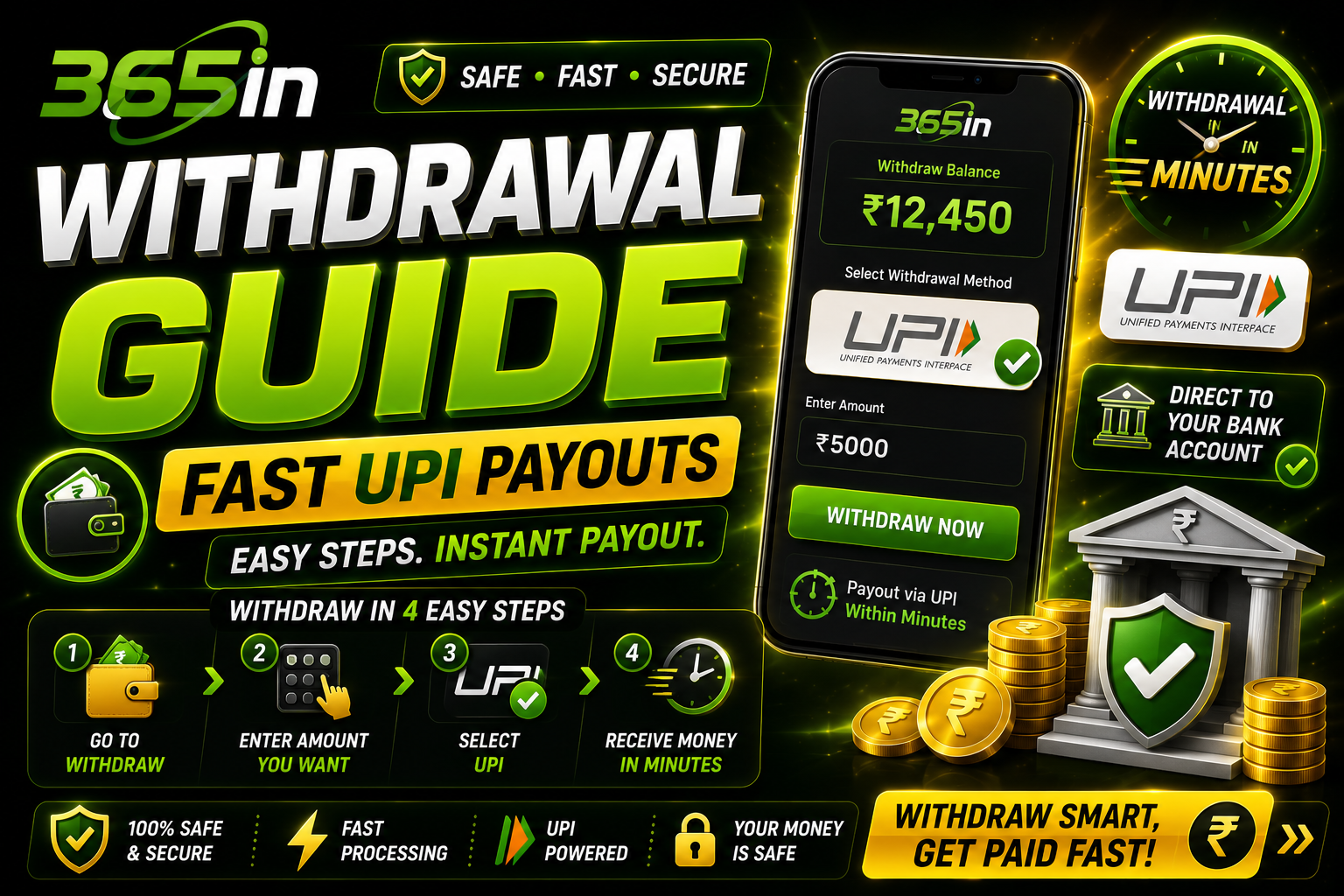
The full withdrawal process from app to bank account involves ten steps. Follow each one carefully the first time and subsequent withdrawals will take under thirty seconds to initiate.
- Open the 365in app and log in. Launch the app on your Android device and complete 365in login with your registered mobile number and password. If you have not downloaded the app yet, visit our download page for the latest APK and installation guide.
- Navigate to the Wallet section. Tap the wallet icon or your balance display at the top of the home screen. This opens your full wallet dashboard showing your available balance, bonus balance and transaction history.
- Tap the Withdraw button. Inside the wallet section, select the "Withdraw" or "Cash Out" option. Do not confuse this with the "Transfer" option, which moves funds between internal game wallets rather than sending money to your bank.
- Enter the withdrawal amount. Type the amount you wish to withdraw. The field will show your available balance and the minimum withdrawal threshold. Ensure you are entering an amount from your real-money balance, not your bonus balance, which carries its own wagering conditions.
- Choose UPI as your payment method. On the method selection screen, tap UPI. If you have multiple payment methods linked, UPI will typically appear as the recommended option due to its instant processing speed and zero fees.
- Enter or confirm your UPI ID. Type your UPI handle carefully — for example, yourname@okaxis or 9876543210@ybl. If you have previously saved a UPI ID it will appear pre-filled; verify it is correct before proceeding. A single character error will result in a failed transfer that must be manually recovered.
- Complete OTP verification. You will receive a one-time password on your registered mobile number. Enter it in the app within the time limit shown on screen. This step confirms the withdrawal is being initiated by the account holder and not an unauthorised party.
- Review the confirmation screen. Before the final submission, the app displays a summary of the withdrawal: amount, destination UPI ID and estimated processing time. Read this screen carefully — it is your last opportunity to catch any errors before funds are dispatched.
- Confirm the withdrawal. Tap the final confirm or submit button. The request is now submitted to the payment engine and is in processing. You cannot cancel a withdrawal request after this point, so ensure all details are correct before tapping confirm.
- Receive your confirmation notification. Within moments you will receive an in-app notification and typically an SMS or UPI push notification confirming the transaction. Your bank app will show the incoming credit, usually within two minutes. If you do not receive confirmation within ten minutes, refer to the troubleshooting section below.
Withdrawal Methods & Limits
365in supports three withdrawal methods, each with its own processing time, minimum and daily maximum. UPI is the recommended method for speed. All amounts below are in Indian Rupees.
| Method | Min Withdrawal | Max Per Day | Processing Time |
|---|---|---|---|
| UPI | ₹100 | ₹1,00,000 | Under 2 minutes |
| Bank Transfer | ₹500 | ₹5,00,000 | 1–3 hours |
| Paytm Wallet | ₹100 | ₹50,000 | Under 5 minutes |
For amounts above the UPI daily limit, use the Bank Transfer method which supports withdrawals up to ₹5,00,000 per day. Note that bank transfers involve additional processing steps and settle within 1–3 hours rather than instantly. Paytm Wallet is a solid option for players who prefer wallet-based accounts and need access to funds within the Paytm ecosystem quickly.
KYC Verification: Why You Need It and How to Complete It
KYC — Know Your Customer — is a regulatory requirement that applies to all financial platforms operating in India, including gaming platforms that handle real-money transactions. The Reserve Bank of India mandates that platforms verify the identity of users before processing withdrawals above certain thresholds. For 365in, this means completing a one-time identity verification before your first 365in withdrawal or when your cumulative transactions — including each 365in deposit — cross a specified limit.
Beyond regulatory compliance, KYC also protects you as a player. It prevents anyone else from withdrawing your winnings, ensures that funds can always be traced and recovered if a transaction goes wrong, and makes your account significantly more resistant to unauthorised access. Platforms that skip KYC are, in practice, less safe for players — not more convenient.
Completing KYC on 365in requires two documents: your Aadhaar card (both sides) and your PAN card. These are the standard identity documents accepted under Indian KYC norms. To submit them, go to your Account Settings, tap "KYC Verification," and follow the upload prompts. You will photograph or upload both documents and confirm a few personal details. Processing typically takes 24 to 48 hours, though many verifications complete within a few hours during business days. Until KYC is complete, withdrawal requests will be held — they will not fail permanently, but they will not release until verification clears. This is precisely why the most experienced 365in players complete KYC immediately after registration, before they start playing. An unverified account that has accumulated winnings faces an unnecessary wait at exactly the moment the player is most eager to cash out.
Why Your Withdrawal Might Be Delayed
The vast majority of 365in withdrawals process in under two minutes. When one does not, it is almost always for one of the following reasons:
- KYC not complete. Your withdrawal will be held until your identity documents are verified. Check your KYC status in Account Settings and complete the submission if it is still pending.
- Active wagering requirement from a 365in bonus. If you accepted a 365in deposit match or any other promotional offer, those funds carry a playthrough requirement. Attempting to cash out while wagering is still active will block the transaction. See our bonus guide to understand how wagering requirements work and how to clear them efficiently.
- UPI ID not linked to an active bank account. A UPI ID that was valid at registration may have become inactive — this happens when a bank account is closed or a UPI handle is deactivated. Always verify your UPI ID is currently active before initiating a withdrawal.
- Withdrawal during banking maintenance window. UPI is generally available 24/7 but some banks perform brief maintenance between 2am and 4am IST. Transactions initiated during this window may be queued briefly and process as soon as maintenance ends.
- Daily limit reached. If you have already withdrawn your daily maximum for the chosen method, further requests will be blocked until the next calendar day. The limit resets at midnight IST.
- Pending dispute or account flag. If there is an open dispute on your account, or if automated fraud screening has flagged unusual activity, withdrawals may be temporarily paused pending review. Contact support at our contact page to resolve any flags quickly.
How to Fix a Stuck or Failed Withdrawal
If your withdrawal has been pending for longer than fifteen minutes or has shown a failed status, work through these steps in order before contacting support:
- Check your KYC status first. Go to Account Settings and confirm that KYC shows as "Verified." If it shows "Pending" or "Under Review," your withdrawal will release automatically once verification completes — no further action needed except waiting out the review period.
- Verify your UPI ID is correct. Type your UPI handle carefully, character by character. Common errors include confusing "@oksbi" with "@sbi," mistyping the mobile number portion, or using an old handle that has been deactivated. Open your UPI app (Google Pay, PhonePe or Paytm) and confirm your currently active UPI ID from within that app.
- Try a smaller test amount. If you are withdrawing a large sum for the first time, try ₹100 first to confirm your UPI linkage is working end-to-end. Once a small amount arrives successfully, initiate the larger withdrawal with confidence.
- Note your transaction ID. Every withdrawal generates a unique transaction reference number visible in your wallet's transaction history. Copy or screenshot this number before contacting support — it allows the team to trace your transaction immediately without lengthy back-and-forth.
- Contact support with your transaction ID. Reach out via the in-app support chat, the contact page, or email affiliate@365in-app.in. Include your transaction ID, the withdrawal amount, the UPI ID you used and the timestamp. The team can typically locate and resolve a stuck transaction within 2–4 hours during business hours, and within 24 hours on weekends.
Withdrawal Tips from Experienced Players
Players who have made hundreds of withdrawals on 365in have developed habits that keep their payouts smooth, fast and trouble-free. Here are the seven most valuable ones:
- Complete KYC before your first withdrawal — ideally before you start playing. This is the single most impactful step a new player can take. KYC takes around 10 minutes to submit and 24–48 hours to clear. If you do it on registration day, your first payout will process with zero friction. If you wait until a big win arrives, you could face a frustrating 24-hour hold at precisely the wrong moment.
- Use a UPI ID linked to your primary, active bank account. Do not use a UPI handle tied to an account you rarely access or that carries a low balance. Banks occasionally deactivate UPI handles on dormant accounts without notice. Your main daily-use account will never have linkage issues and will receive transfers instantly.
- Withdraw during business hours for the fastest processing. While UPI is technically available 24/7, transactions that fall during bank maintenance windows — typically 2am to 4am IST — may experience a brief queue delay. For time-sensitive withdrawals, initiating them between 9am and 10pm IST ensures all banking systems are fully operational and your transfer processes at maximum speed.
- Keep your withdrawal amounts within standard UPI limits. Individual UPI transactions are capped by your bank — typically at ₹1,00,000 per transaction for most savings accounts. If you need to withdraw more, use the Bank Transfer method or split across multiple UPI transactions on different days to stay within limits.
- Do not initiate a 365in withdrawal during an active bonus period without understanding your wagering requirement. If your 365in deposit came with a match bonus, check how much wagering remains before attempting to cash out. Withdrawing before clearing the playthrough will either be blocked outright or, depending on bonus terms, may result in the bonus being forfeited. Read the bonus terms carefully — the information is clearly stated there.
- Save your transaction ID for every withdrawal. Screenshot the withdrawal confirmation screen or note the transaction reference number somewhere accessible. This reference is essential if you ever need to contact support. Without it, tracing a specific payment becomes significantly slower for both you and the support team.
- Consider setting up a dedicated UPI account for your gaming transactions. Keeping your gaming income and expenses in a separate bank account makes it much easier to track your net performance over time, manage your gaming budget, and keep clean records. Several Indian banks and fintech providers offer zero-balance accounts that are perfect for this purpose and take only minutes to open.
Complete your KYC verification immediately after registration — before you start playing. This ensures you face zero delays when your first big win comes in.
"I withdrew my winnings at 11pm on a Sunday and the money was in my account in under 90 seconds. I've never experienced anything like it from any gaming platform." — Arjun K., Hyderabad